
Get help from Client Craft
On this page
Search the help centre, chat with us live or send a ticket. Tickets get a reply within 1 business day; live chat runs Monday to Friday, 9:00–18:00 Lisbon time.
Plan: All plans
Help lives in your dashboard under Help. You can search answers and error codes, chat with a person, or send a ticket. Live chat and tickets are on every plan, Free included.
Before you start #
- Sign in to your dashboard. Without an account you can still reach us from the website (see the end of this article).
- If you saw an error page, note its reference code. It helps us find the problem quickly.
Step by step #
- 1Open HelpIn your dashboard, open Help. The page shows Answers for running your business on Client Craft, a search box, and your two ways to reach us.
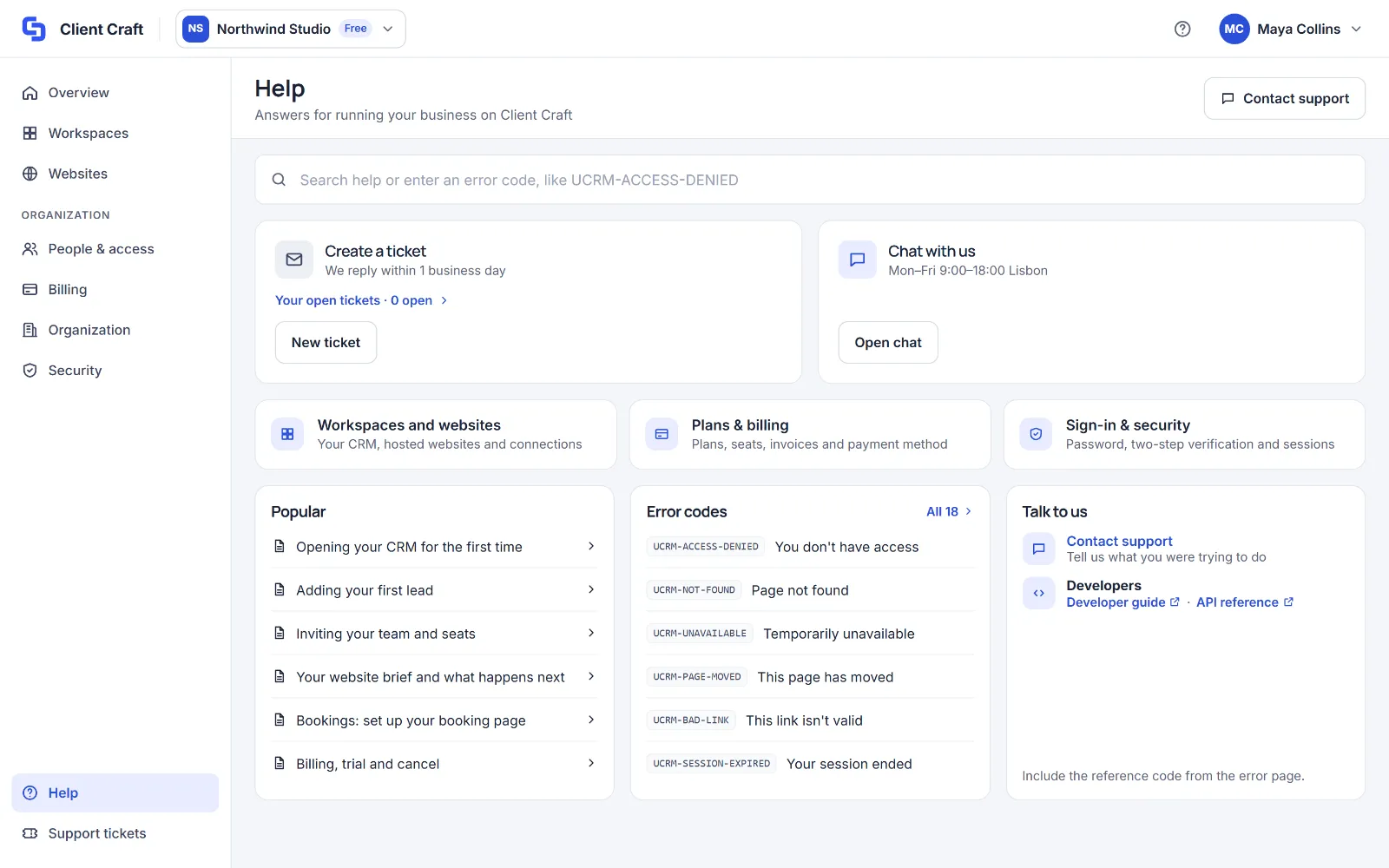
- 2Search firstType in Search help or enter an error code, for example
UCRM-ACCESS-DENIED. Topics include Workspaces and websites, Plans & billing, Sign-in & security, Error codes and a Developer guide. - 3Chat with usUnder Chat with us ("Mon–Fri 9:00–18:00 Lisbon"), click Open chat and write your message. When someone is free, they join ("We'll join as soon as someone is free"). You can End chat, or Turn this into a ticket if the question needs a follow-up by email.
Outside opening hours the chat says "We're offline · leave a ticket and we'll reply by email (within 1 business day)", with a New ticket button.
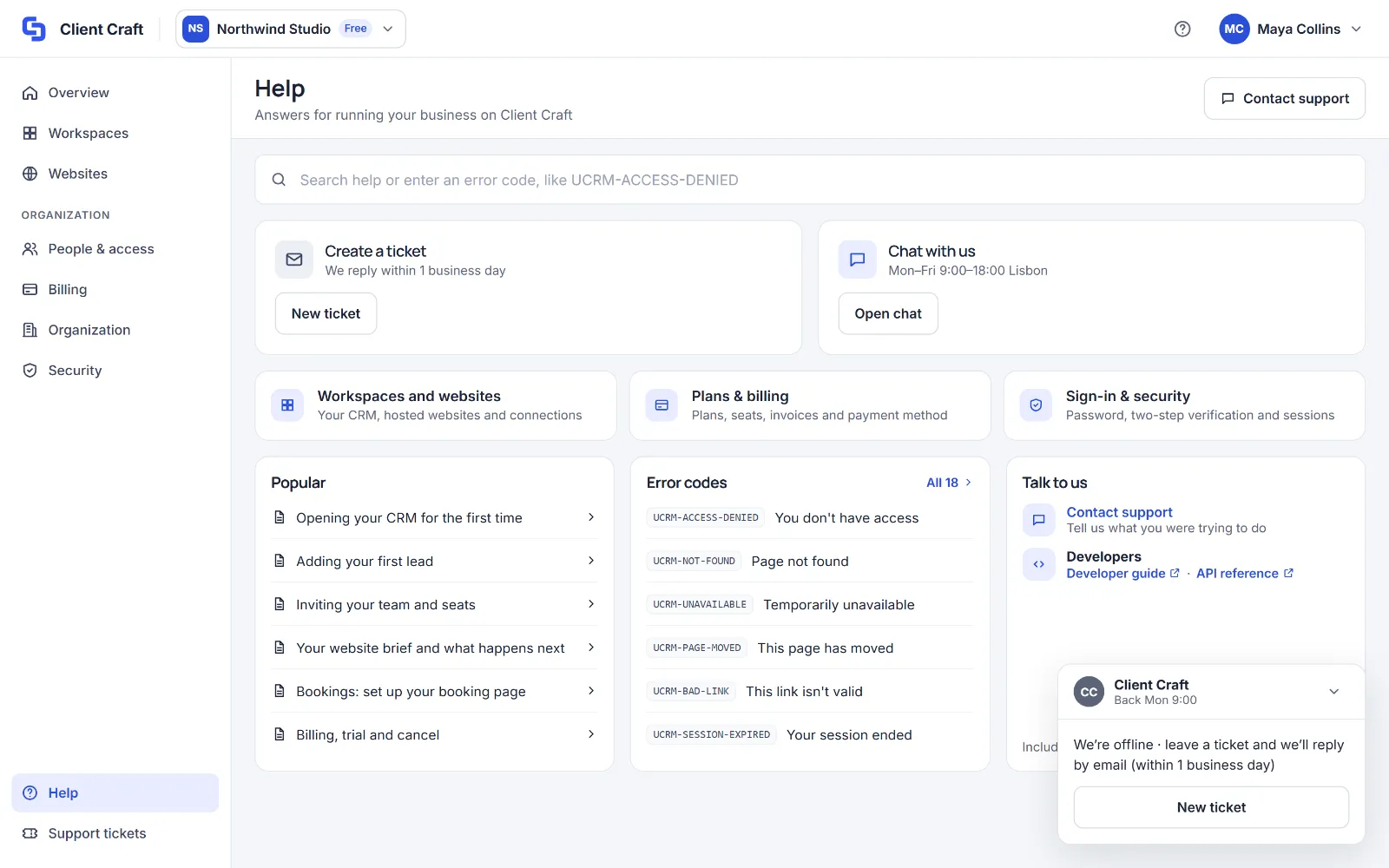
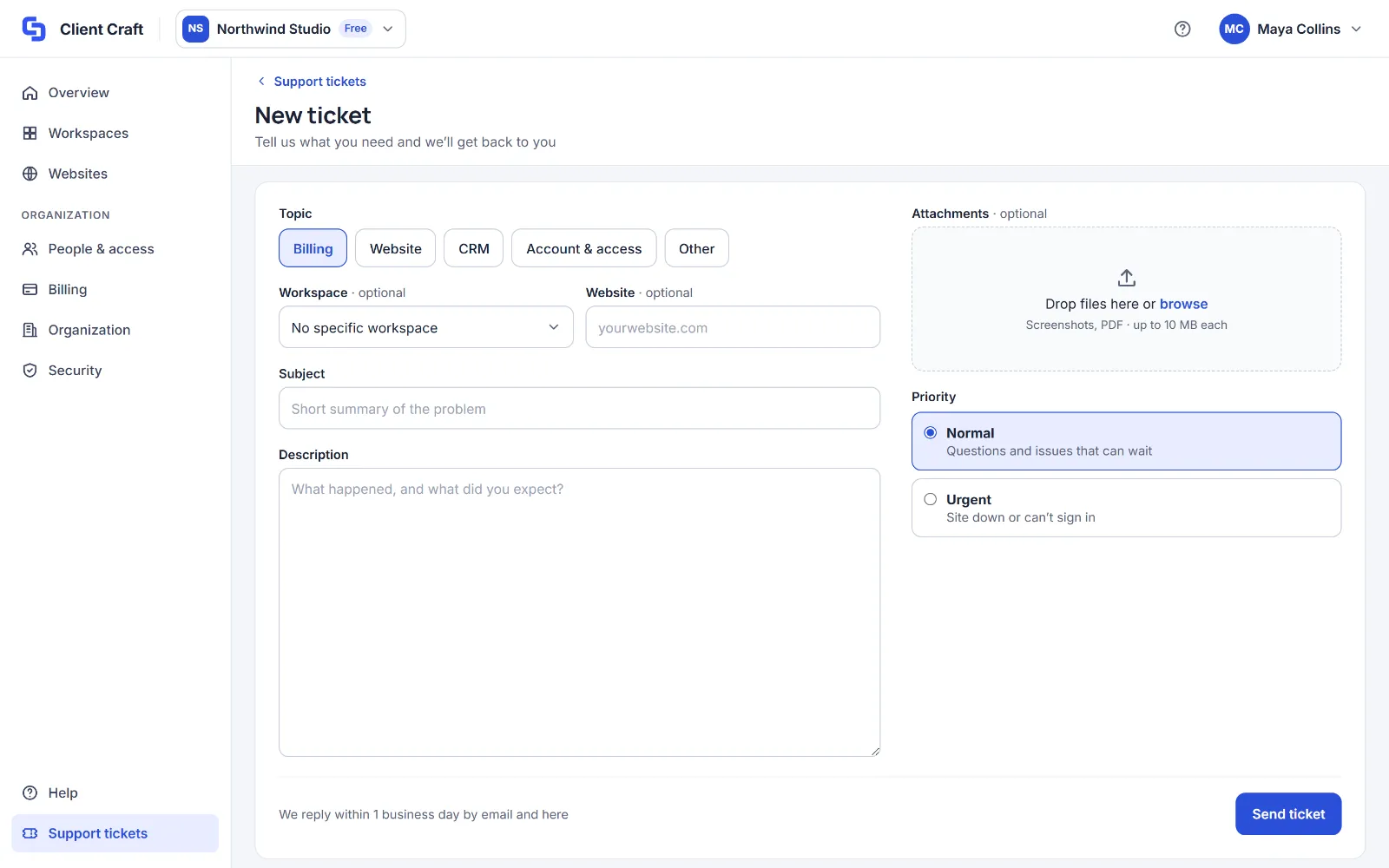
- 4Send a ticketClick New ticket (or Create a ticket). Fill in:
- Topic: Billing, Website, CRM, Account & access or Other.
- Workspace and Website (optional): pick the ones the problem is about.
- Subject and Description: what happened, and what you expected.
- Attachments (optional): screenshots or PDF, up to 10 MB each.
- Priority: Normal for questions and issues that can wait, Urgent if your site is down or you can't sign in.
Click Send ticket. We reply within 1 business day, by email and in the dashboard.
- 5Follow your tickets and chatsSupport tickets lists all your tickets and chats with every reply. Open one to reply, attach a file (PDF or images, up to 10 MB) or Mark as solved.
If you can't sign in #
Use Contact support on the Client Craft website. Our reply email contains a private link to your ticket:
- The link works for 30 days, and only the newest link we sent works.
- Anyone with the link can see the ticket, so don't share it.
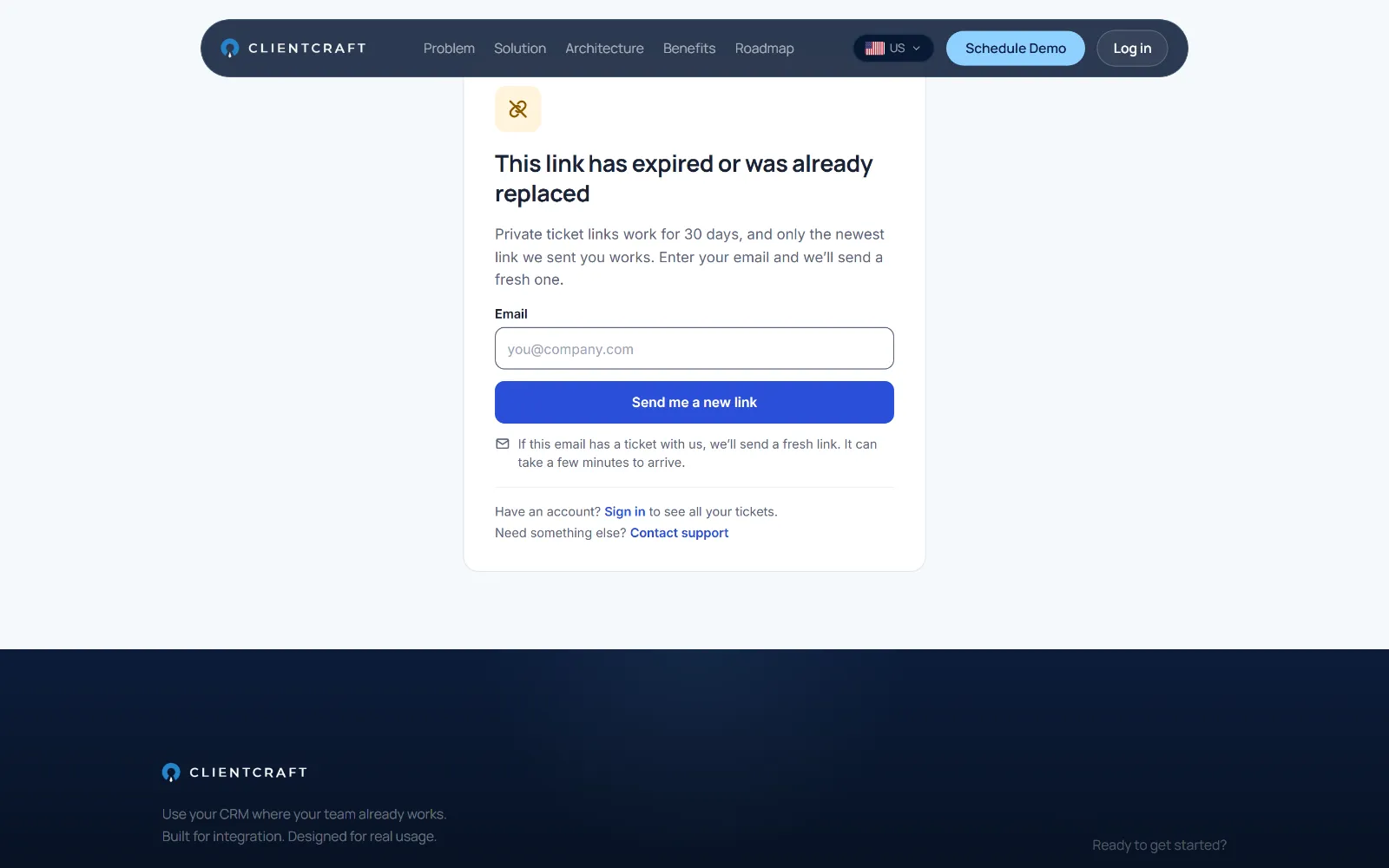
- If it has expired, the page says This link has expired or was already replaced. Enter your email and click Send me a new link. If that email has a ticket with us, a fresh link arrives within a few minutes.
TipCreate a free account with the same email to see all your tickets in one place.
Was this article helpful?