
Receivables and fiscal documents
On this page
Track what customers owe you. Issue the invoice in your own software and upload it to the receivable. A Stripe receipt is not a fiscal document.
Finance › Receivables lists every charge your customers owe you, from deal payment schedules and invoices. Client Craft does not issue fiscal invoices. You issue the fatura, fatura-recibo or recibo in your own certified invoicing software, then upload the file to the receivable.
Before you start #
- Charges come from deals and accepted proposals. See Create and send a proposal.
- Your invoicing software issues the official document.
Why a Stripe receipt is not enough #
When a customer pays by card, Stripe sends a receipt and Client Craft keeps a payment record. Neither is a fiscal document. The receivable stays Paid · fiscal document pending until you upload yours, and says "The invoice and its Stripe receipt are not fiscal documents."
Step by step #
- 1Open Finance › ReceivablesThe tabs include Document pending, which counts paid receivables that still need a fiscal document. A banner says how many need one.
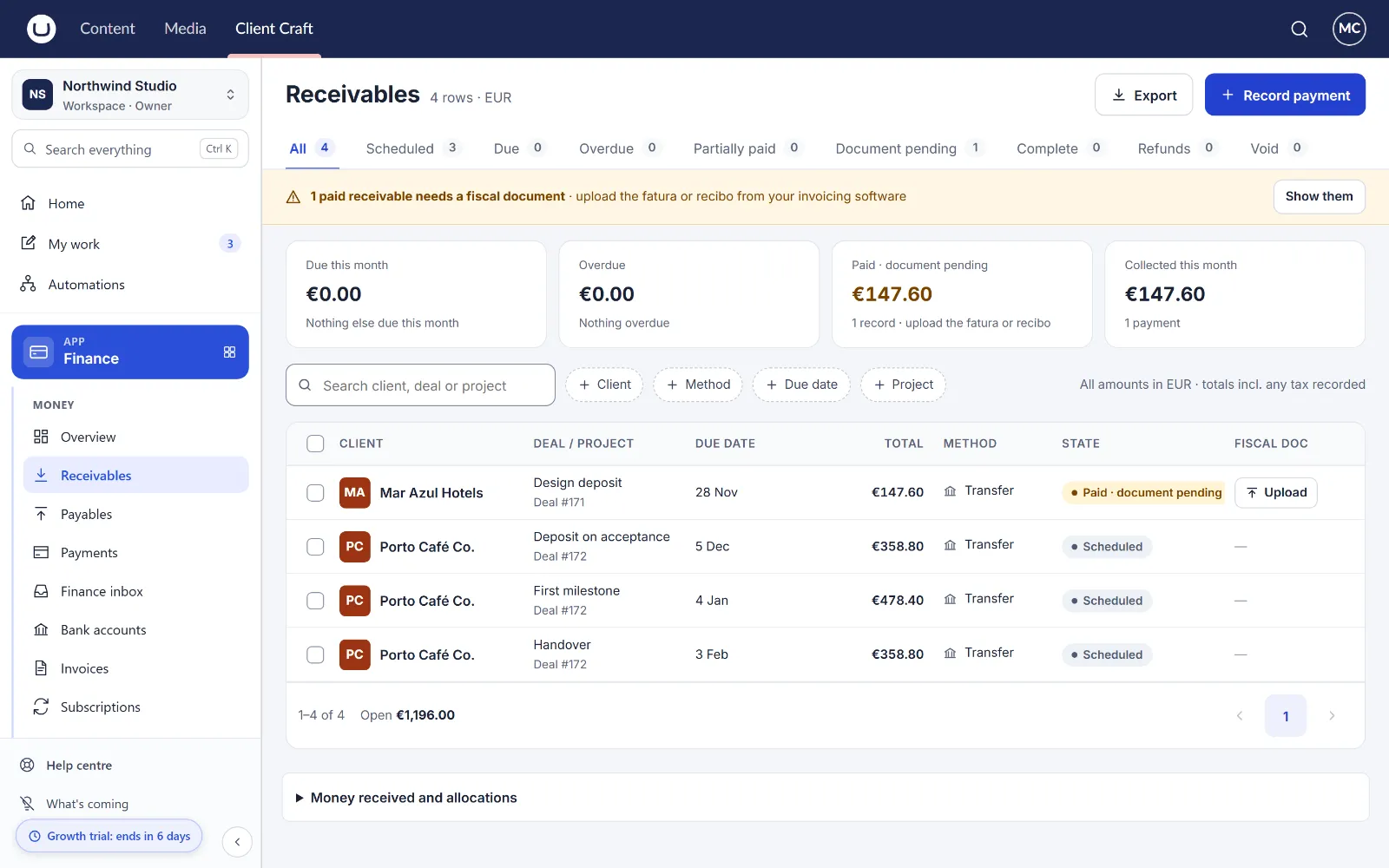
- 2Open a receivableClick the customer name. The Fiscal document card shows No fiscal document yet while it is pending.
- 3Upload the fiscal documentClick Upload fiscal document (or Upload recibo). Choose a scanned PDF of up to 10 MB and click Upload for scanning. Wait for Scanned clean. If the status does not move, click Refresh scan status.
- 4Describe the documentChoose the Document type: Fatura, Fatura-recibo or Recibo. Enter the Document number, the Issue date (optional, today if left empty) and the ATCUD (optional), and check that the Amount incl. tax matches the receivable. Tick Show this document to the client in their portal if you want the client to see it. Click Use external invoice.
- 5Complete the receivableA Fatura alone leaves the receivable waiting for its recibo. A Fatura-recibo or a Recibo completes it. Upload the recibo once the payment is received, then click Mark complete.
The receivable now reads Complete · fiscal document uploaded and paid in full. The pending counts in Receivables and on the Finance Overview go down by one.
Refunds and credit notes #
After a refund, the receivable asks for a Nota de crédito. Record the refund first, then click Upload credit note.
Charges paid through Stripe on a deal #
Charges collected automatically through Stripe Connect get their invoice from the deal. On those receivables, click Attach on the deal and attach the document under the charge's Documents in the deal's Products & services.
What happens next #
- Payments you receive online show with their fees in Finance › Payments. See Understand Stripe fees on your payments.