
Finance overview: what you can do
On this page
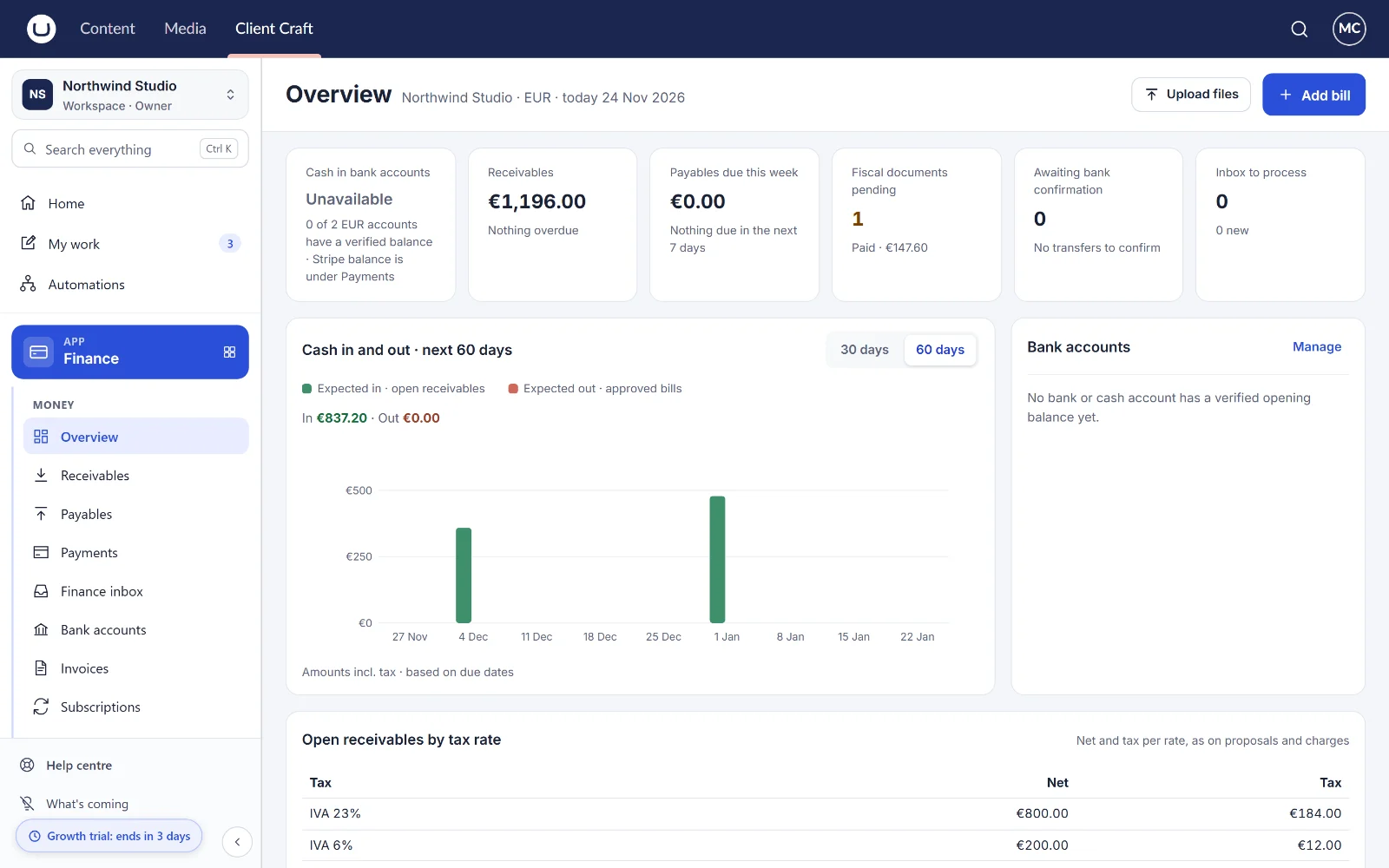
See what Client Craft Finance does: set up taxes, invoice won deals, track what customers owe and record payments and refunds. Start here, then pick an article.
Plan: Starter and above
Finance is where you see what your customers owe you and what they have paid. Owners and finance admins use it to set up taxes, invoice won deals and record the money you receive.
What you can do #
- Set up your taxes. Add your tax rates once, give each product its tax and see totals per rate. See Set up taxes for your products.
- Create a customer invoice. Create one from a won deal and send it your own way or with a Stripe payment page. See Create and send a customer invoice from a deal.
- Attach the fiscal document. Issue it in your own invoicing software, then attach it to the invoice or charge. See Create and send a customer invoice from a deal.
- Track what is due. See each deal's charges, and all open charges in Finance. See Record, track and refund customer payments.
- Request and record payments. Ask a client to pay, record money received and review payment proofs. See Record, track and refund customer payments.
- Record refunds. Refund a card payment, or record a refund you sent by bank transfer or cash. See Record, track and refund customer payments.
How it connects #
- Invoices are created from won deals, and each deal shows its charges. See Manage deals and stages in the sales pipeline.
- When a client accepts a proposal, its payment schedule becomes charges. See Create and send a proposal.
- Taxes you set up appear on deals, proposals and charges.
- A deal's Billing can start from a payment you recorded, before you mark the deal as won. See Mark a deal as won and start its project.
Start here #
Read Set up taxes for your products first. Then read Create and send a customer invoice from a deal.
TipNew to Client Craft? Create your free account and try Finance with your own data. Already have an account? Sign in and open Finance.
Was this article helpful?