
Request a website from Client Craft
On this page
Ask us to build your website, send your brief, review the result and approve it. You follow every step on the request page.
We can build and host your website for you. Your CRM then opens inside its backoffice, and forms, bookings and website analytics flow straight into your workspace. You send a request and a short brief, we build the site, you review it, and we publish it at your address.
Before you start #
- You are an Owner or Admin of your organization.
- Have your logo ready (PNG or SVG), plus any photos you want on the site: team photos, your work, your premises.
- If you already own a domain, have its name ready. You can also ask for a Client Craft subdomain.
- About 20 minutes for the brief. You can save it and come back.
What the brief asks #
The brief is how we learn about your business. Only a few answers are required; the more you give us, the closer the first version is to what you want.
| Step | What you give us |
| Brand | Logo, brand colours, fonts, a brand guide if you have one, and how your website should sound (friendly, professional, premium and so on) |
| Business | Company name, a one-sentence description, what you do, your story, mission, vision and values, your services or products with a short description and price, who your customers are, the area you serve and what makes you different |
| Team | Team members with name, role, photo and a short bio |
| Website | What visitors should do first (book, call, ask for a quote, buy, get in touch), the pages you want, your current website, websites you like, photos, testimonials and frequently asked questions |
| Contact and legal | Email and phone for the website, address, opening hours, social media links, your domain, legal company name and VAT number |
Step by step #
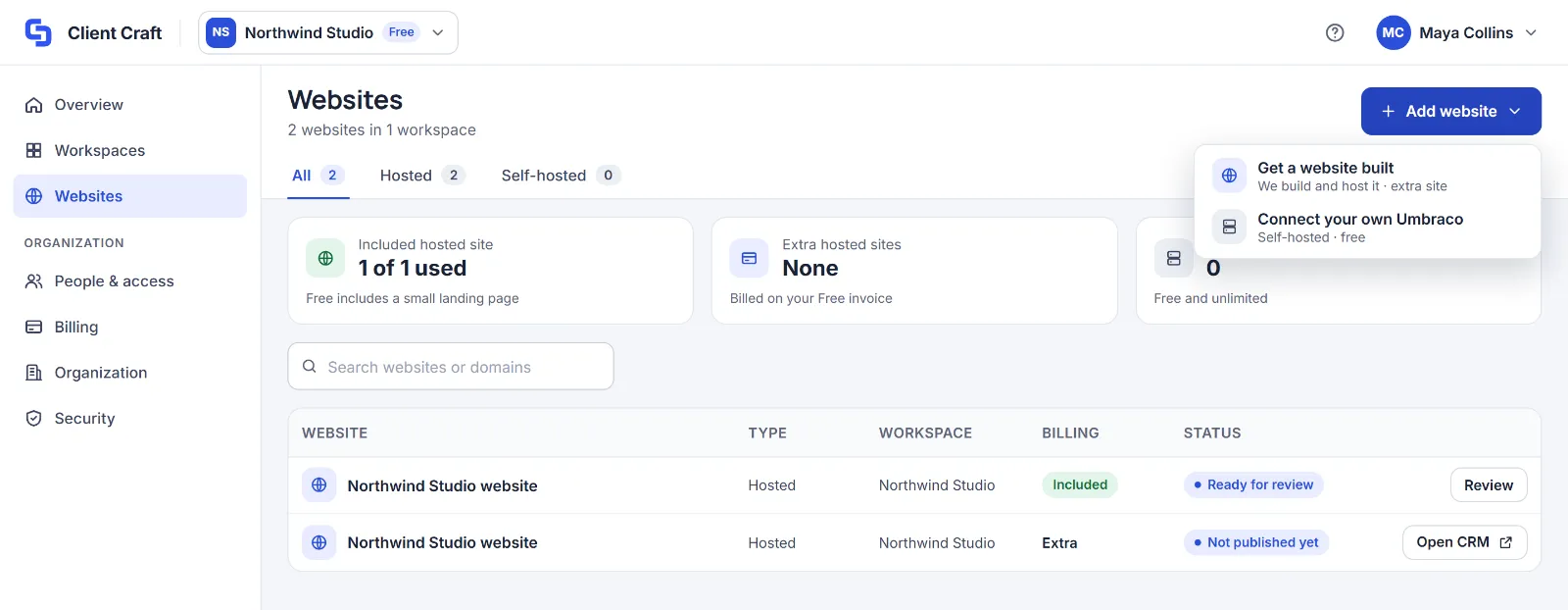
- 1Start the requestIn your dashboard, open Websites and choose Get a website built. You can also use Get my website built in the Get your website card on Overview.
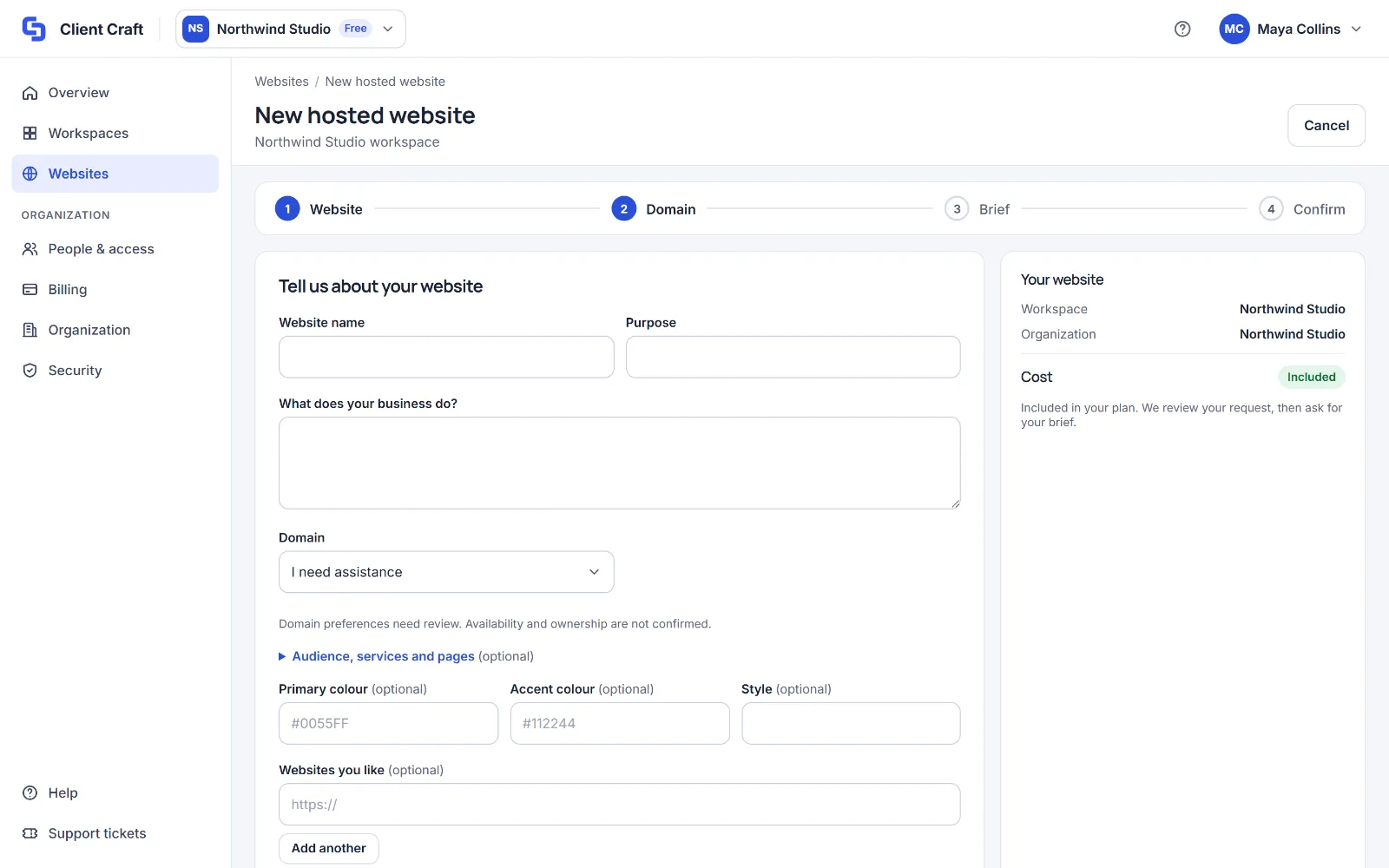
- 2Describe the websiteNew hosted website has four steps: Website · Domain · Brief · Confirm. Fill in:
- Website name, Purpose and What does your business do?
- Domain: Request a Client Craft subdomain, Use my own domain or I need assistance. Domain preferences are reviewed by us; availability and ownership are not confirmed at this point.
- Optional details: audience, services and pages, colours, style, websites you like, anything else.
- Contact name and Contact email for this website.
The Cost panel shows whether the site is Included in your plan or billed as an Extra hosted site. Click Continue.
- 3Send your briefThe request page shows your progress and Your brief · Needed. Click Start the brief. It has five steps: Brand · Business · Team · Website · Contact and legal. Your answers are saved as you go ("Draft saved at …"), so you can leave and come back. Finish with Send brief.
You then see Brief received.
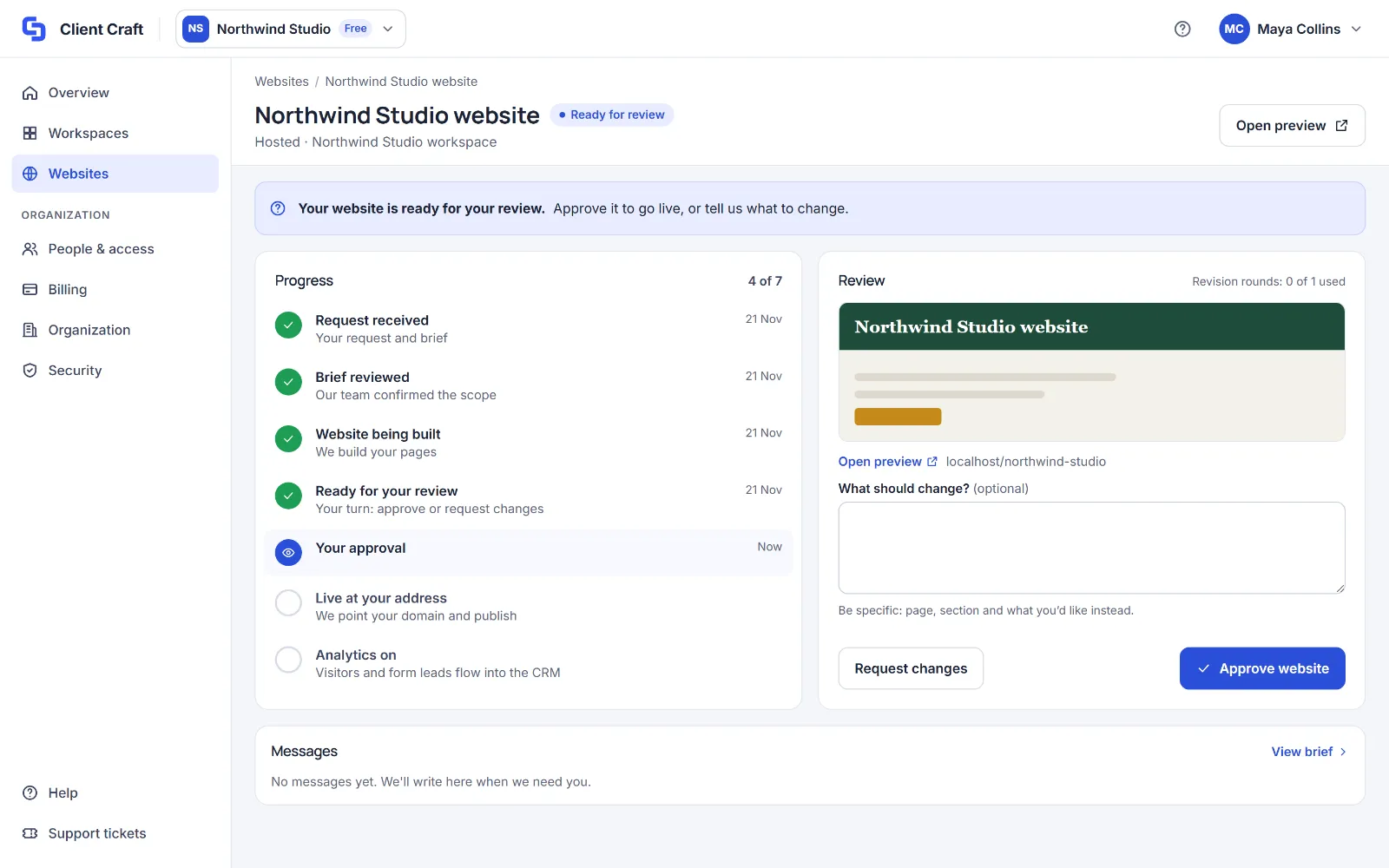
- 4Follow the progressThe request page tracks seven steps: Request received, Brief reviewed, Website being built, Ready for review, Your approval, Live at your address and Analytics on.
If we need more details, the request and brief show our note. Update the brief and send it again.
- 5Review and approveWhen the site is ready, the request page says "Your website is ready for your review." with a preview link and the revision rounds you have used. Open the preview. If it is right, click Approve website; you see "Approved. We will publish your website next."
- 6Go liveWe publish the site at your address and connect it to your workspace. You get one "Your website is ready" email, and all steps show as done.
What happens next #
- When your website is live, open Client Craft from it: Open Client Craft.
- After delivery, Owners and Admins can edit and publish the site's pages: Edit and publish your website content.