
Reply to live chats
On this page
Open the Chats tab, answer a visitor in real time, end the chat or turn it into a ticket.
Plan: All plans
Live chats show up on the Chats tab of the Support page. New chats appear on their own, and the browser tab title shows a number when a chat has new activity.
Before you start #
- You need to be a member of the CRM team in your workspace. Otherwise you do not show as online to visitors, and the page warns you.
- Keep the Support page open while you are available. Visitors see the team as online while someone has it open.
Step by step #
- 1Open the Chats tabOpen CRM › Support and click Chats. At the top of the list you see who is online, for example Chat is open with the names of people available. If nobody is online, visitors can leave a message instead.
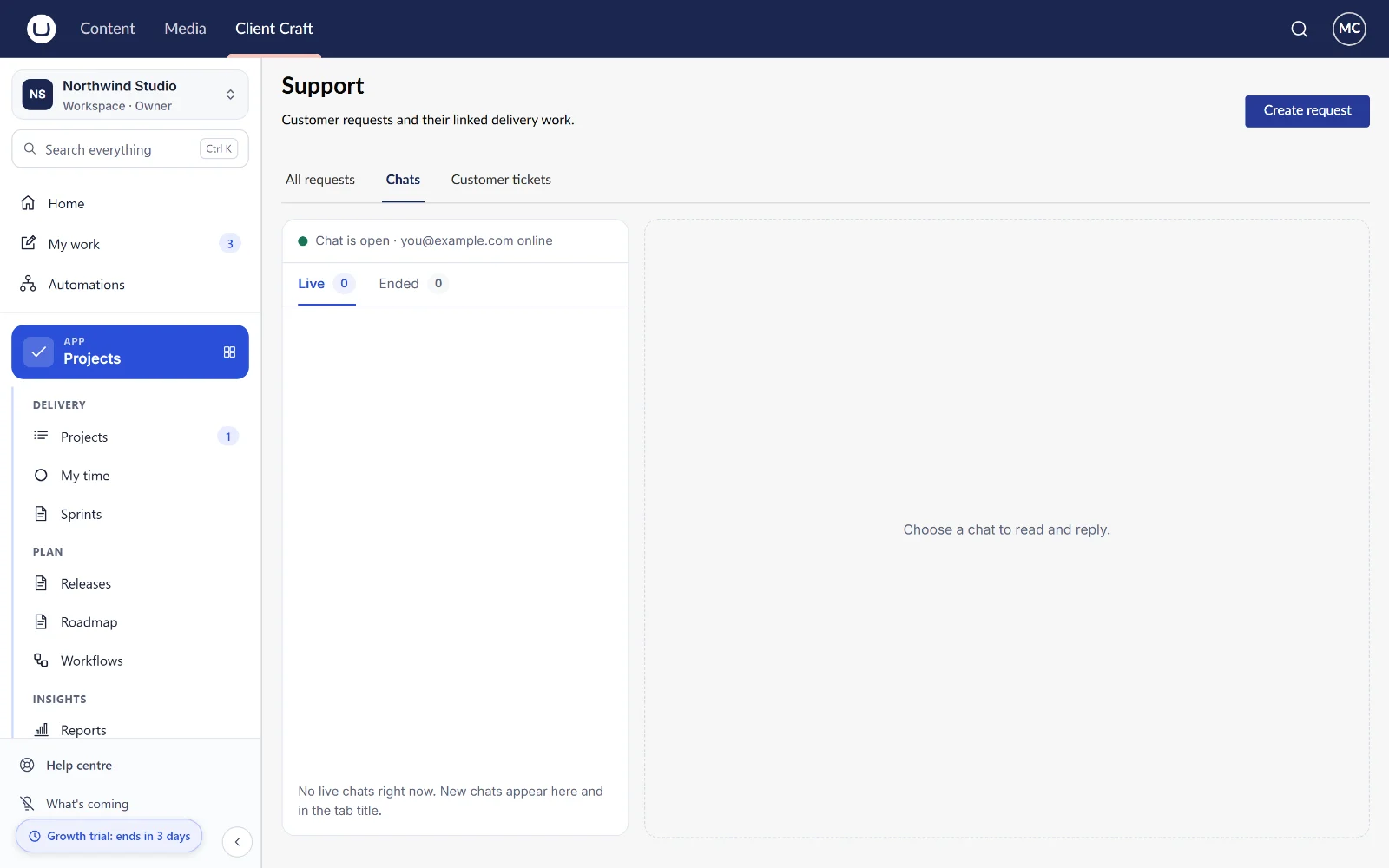
- 2Pick a chatUse Live and Ended to filter the list. Each chat shows who it is from (a Website visitor or a customer), the time and whether it is Waiting for reply or New activity. Click a chat to read it.
- 3Write your replyType in Reply to the customer. Press Enter to send, or Shift+Enter for a new line. If sending fails, click Send again; your text is kept.
- 4Finish the chatWhen you are done, click End chat and confirm. The customer sees the chat has ended and can no longer send messages. The conversation stays in Support.
- 5Or turn it into a ticketClick Turn into ticket to carry on by email. Add a Ticket subject (optional), or leave it empty to use the first message. The ticket includes the chat transcript. If the visitor left an email address, they get a confirmation. Open it from the chat with Open ticket.
After a chat ends you cannot reply in the chat. Turn it into a ticket instead, which emails the customer when they left an address.
Chats that came from a lead show an Open lead link, so you can see the full history.
Was this article helpful?