
Manage your Google Business Profile
On this page
Connect Google, keep your business details and photos up to date, answer reviews and publish updates on Google Search and Maps.
Plan: Growth and above
Your Google Business Profile is how customers find you on Google Search and Maps. In Client Craft you can edit it, add photos, answer reviews and publish posts. Changes can take a few minutes to appear on Google.
Before you start #
- You need a Google account that owns or manages the business location.
- Google may ask for ownership or verification steps. Client Craft only asks for the permissions it needs to manage the profile.
Connect your business #
- 1Open Google BusinessOpen Marketing › Google Business and click Connect with Google. You are sent to Google to sign in securely.
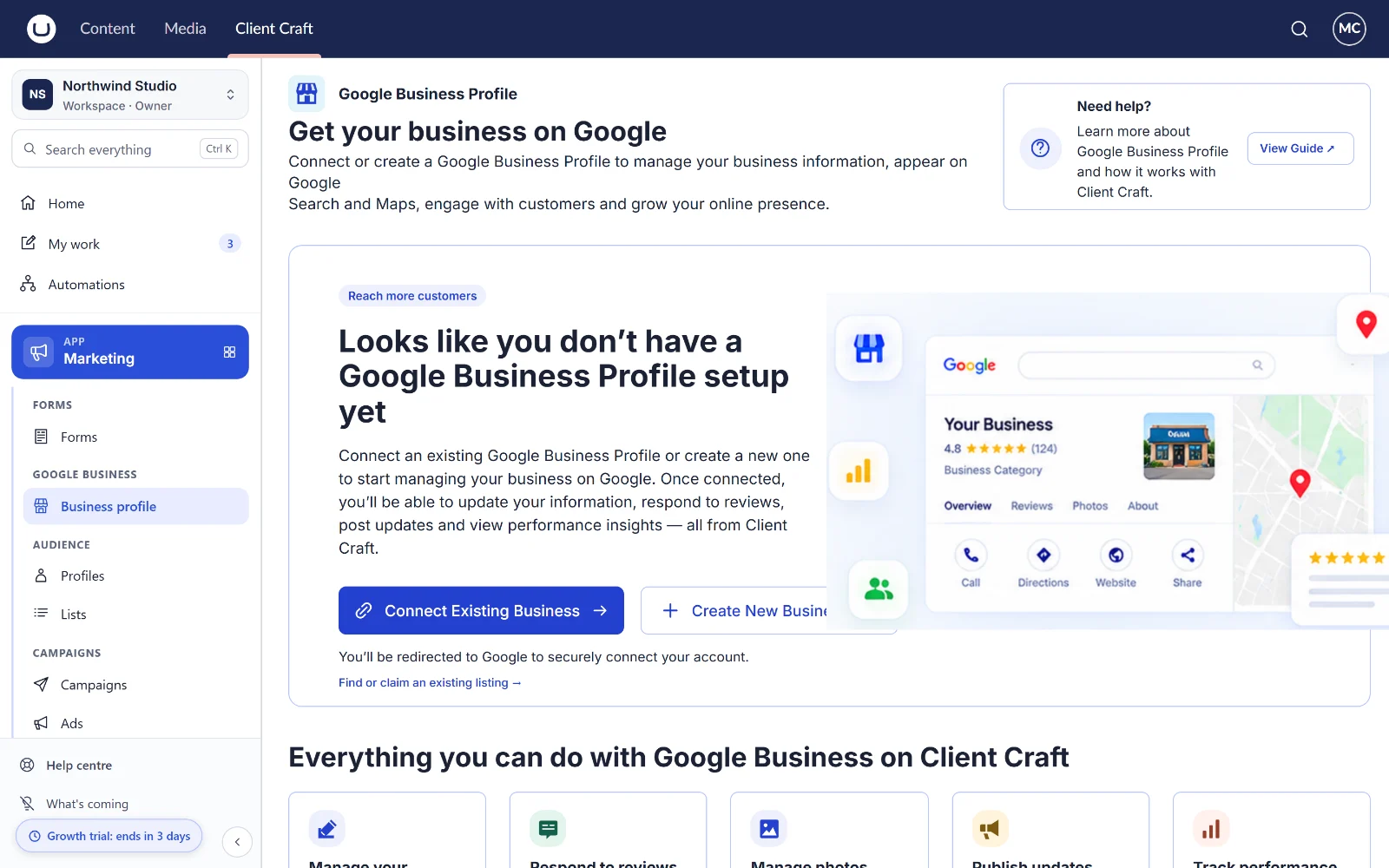
- 2Choose what to managePick a business under Select a business to connect. You can connect more than one. If your business is not on Google yet, choose Create New Business. Client Craft checks for duplicate listings first. To use a listing that already exists, choose Use this existing business.
- 3Review and finishCheck the details on the review screen. The connection is ready when you see Your Google Business connection is set up.
Day-to-day tasks #
The page has these tabs: Overview, Edit Information, Photos, Reviews, Posts, Performance and Settings.
| Tab | What you do there |
| Overview | See your profile status, quick actions and recent activity. |
| Edit Information | Change business name, categories, description, phone, website, address and opening hours, then save to Google. |
| Photos | Drag photos in, or choose files. JPG, PNG or WEBP, up to 10 MB each. |
| Reviews | Read synced reviews, filter them and click Reply to answer. Use Refresh to sync again. |
| Posts | Share an update, offer or event with Publish on Google, or remove one with Delete post. |
| Performance | See daily metrics for the last 7, 28 or 90 days. |
| Settings | Check the connection, or choose Disconnect Google account. |
Disconnecting stops review synchronization. It does not delete your Google Business Profile.
If a listing is already claimed by someone else, request access on Google first. Then return and connect it from your Google account.
Was this article helpful?