
Create ads in Ads Center
On this page
Connect Meta, choose the ad account and Pixel, build a campaign in four steps and see spend, leads and sales per ad.
Plan: Growth and above
Ads Center shows spend, sales and real profit from your Facebook and Instagram ads in one place, and lets you create ads without leaving Client Craft. Leads from ads arrive in the CRM with the ad attached.
Before you start #
- Log in with the Facebook account that manages your ads. Only a workspace admin can connect ad accounts.
- You need a Facebook Page for the ad to run as. Without one, the page shows Ads need a Facebook Page.
- Optional: set the cost of each product so profit and return on ad spend subtract it.
Step by step #
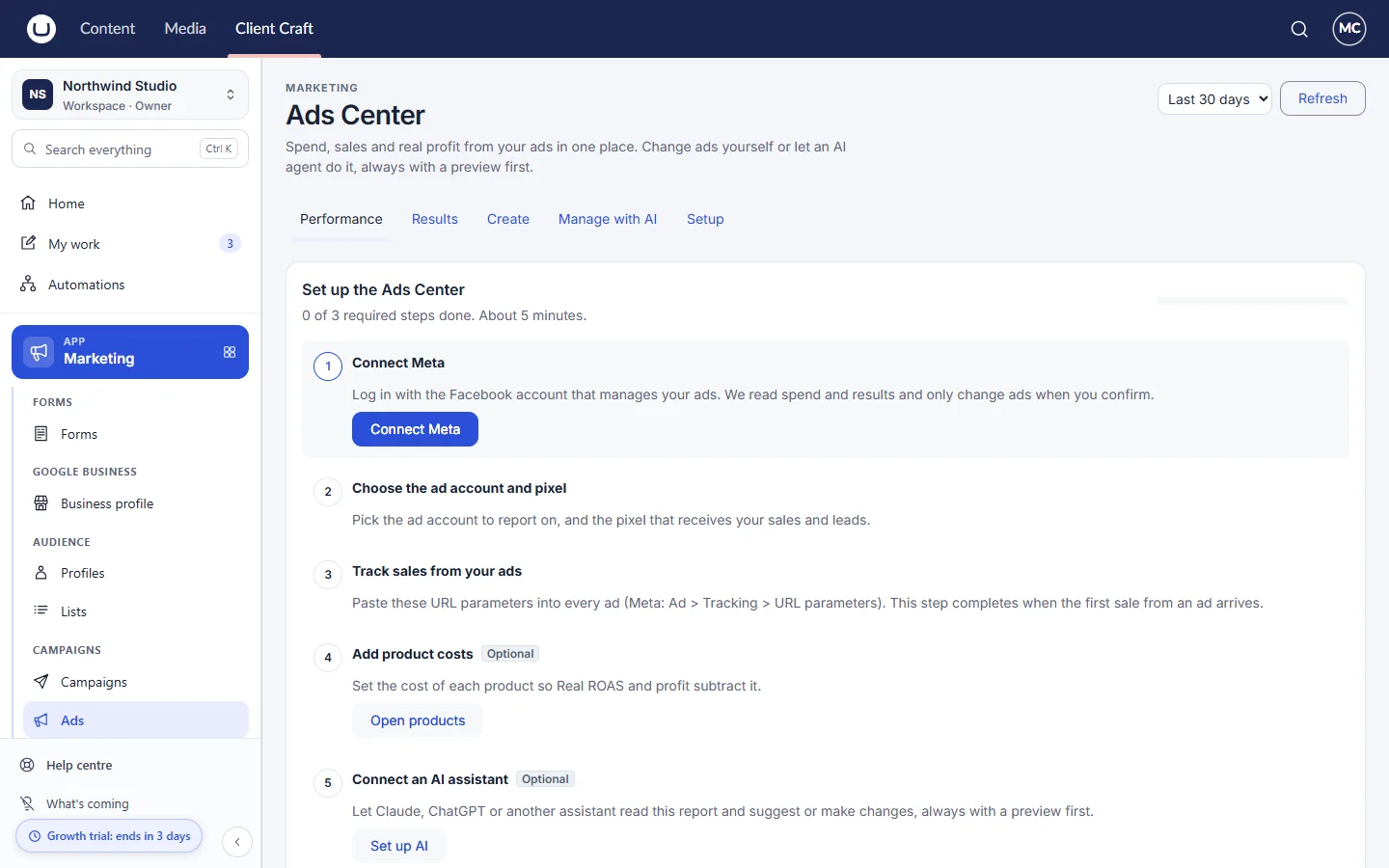
- 1Connect MetaOpen Marketing › Ads and go to the Setup tab. Click Connect Meta and finish the login in the Meta window. Accept every permission Meta asks for. We read spend and results, and only change ads when you confirm.
- 2Choose the ad account and PixelPick the Ad account to report on and the Pixel that receives your sales and leads. If your account has no Pixel, use Create pixel. The setup guide also offers Add product costs and Set up AI as optional steps.
- 3Start a campaignGo to the Create tab. The builder has four steps: Goal, Who and budget, Ads and Review.
- 4Pick a goal and audienceChoose a plain goal: Get WhatsApp conversations, Get leads on a landing page, Bring people to my website or Sell online. Then set the location, minimum age and budget. Client Craft chooses the Meta objective and fixes dozens of settings for you.
- 5Add your adsAdd images (a 4:5 and a 9:16 image are needed to publish), the headline, text and a destination: WhatsApp, a landing page, a website URL or an instant form.
- 6Review and publishCheck the summary. Choose Publish and start, Publish and start on a date or Publish paused, then confirm. Meta reviews every ad, usually within 24 hours. Retrying a publish never creates a second campaign.
Publishing creates a real campaign in your Meta account and can spend money once it runs. Use Publish paused if you want to check everything in Meta first and start it from Results.
Track results #
- Performance: ad spend, sales by day and cost per sale. Use the period menu to change the range.
- Results: spend, cost per lead and the leads each ad brought into the CRM. Click a number under Leads in CRM to see who came from that ad.
- Manage with AI: connect an assistant to read the report and propose changes, always with a preview first.
Was this article helpful?