
Import a bank statement and reconcile it
On this page
Upload a CSV export from your bank, accept suggested matches to your recorded payments and receipts, and ignore lines that are not business items.
Plan: Growth and above
Reconciling checks that what your bank shows is what you recorded in Client Craft. You import a statement, and each bank line is matched to one recorded payment, receipt or refund, or ignored with a reason. Bank lines never create money by themselves.
Before you start #
- Add the bank account under Finance › Bank accounts and record its opening balance. Until you do, the balance reads Unavailable.
- Record the payments and receipts first. A line can only be matched to something already recorded.
- Download a CSV export from your bank. The file can be up to 2 MB.
What the CSV needs #
- A header row and at least one transaction.
- A Date column, a Description column, and either an Amount column or both Debit and Credit columns. English and Portuguese column names such as
data,descriçãoandmontantework. - Dates like
2026-10-31or31/10/2026. Either delimiter and either decimal style are read.
Step by step #
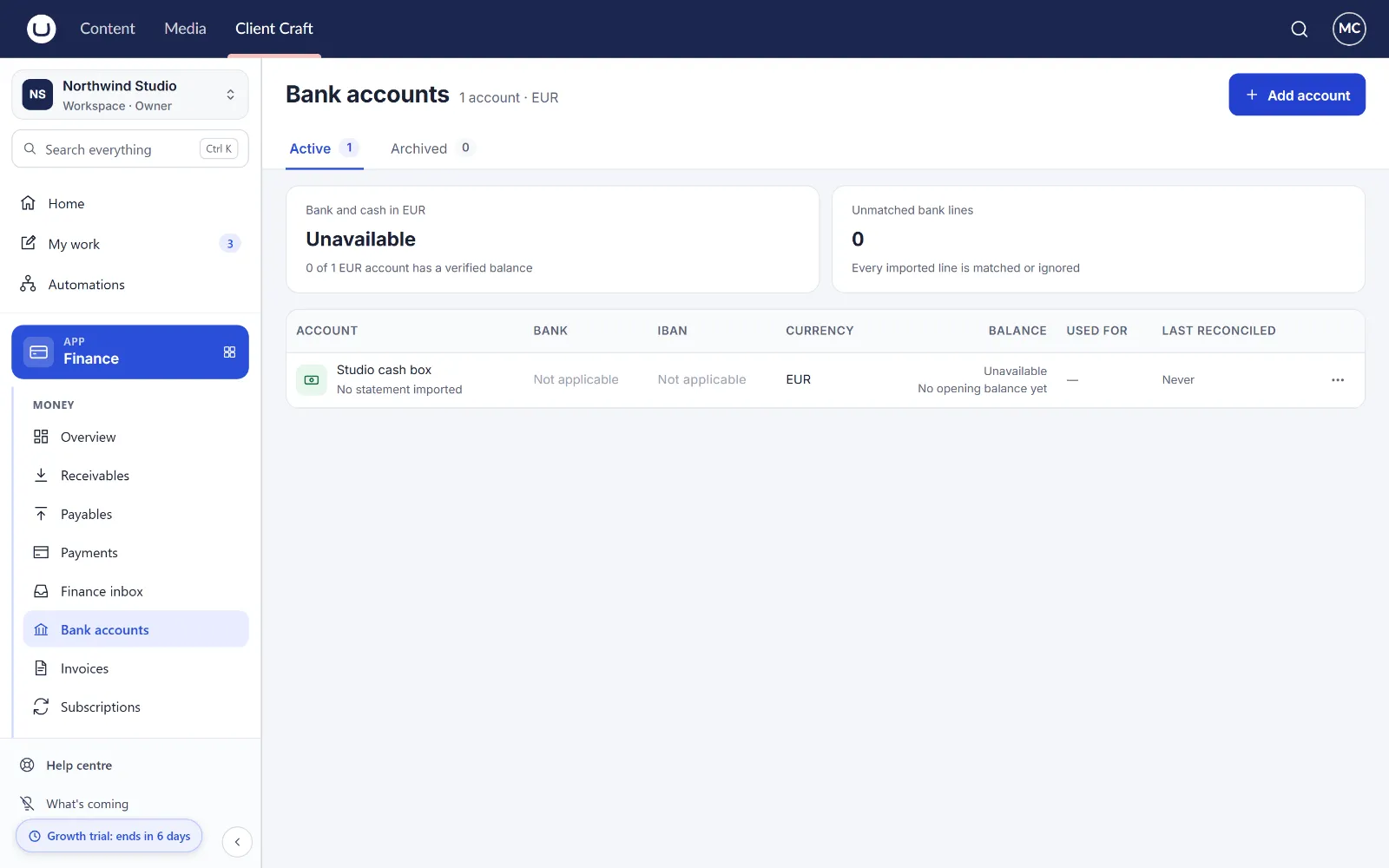
- 1Open Finance › Bank accountsEach account shows its balance and Last reconciled. The Unmatched bank lines tile counts lines that still need a decision.
- 2Open Reconcile and click Import statementUnder Statement file, click Choose file and pick the CSV. The dialog says how many lines are new and how many were already imported. Click Import N lines. Importing the same file twice does not duplicate lines.
- 3Review the suggestionsEach unmatched line shows a Suggested match when a recorded payment, receipt or refund on the same account has exactly the same signed amount. Click Match on a line, or click Accept N suggestions to accept all of them. A line without a suggestion shows No suggestion: click Find match or Choose manually.
- 4Ignore what is not a business itemFor a bank fee, an internal transfer or a personal item, click Ignore line, give a reason and confirm. It moves to Ignored and stays out of reconciliation.
- 5FinishWhen every line is matched or ignored, the page says "Every statement line is matched or ignored." The account shows Last reconciled with the date.
How the balance is counted #
Client Craft uses the recorded balance when it is available. Otherwise it uses your verified opening balance plus the statement lines up to today. Ignored lines are never counted, and lines dated in the future are not counted yet.
TipIf a line has no suggestion, record the missing payment or receipt first. The line is then suggested here.
What happens next #
- Payments you recorded for bills are described in Create, approve and pay a supplier bill.
Was this article helpful?