
What the Client Craft package adds to Umbraco
On this page
What the ClientCraft package adds to Umbraco: the Client Craft section, page analytics, CRM blocks, consent, Knowledge Hub and AI in the Visual Builder.
Client Craft Core connects an Umbraco 17 website to a Client Craft workspace. Once the site is connected, your team runs the business from the same backoffice where they edit the website, and the website feeds the CRM directly.
Before you start #
- The ClientCraft package (
dotnet add package ClientCraft --prerelease) is installed and the installation is connected. See Install the package and Connect your site to Client Craft.
The Client Craft section #
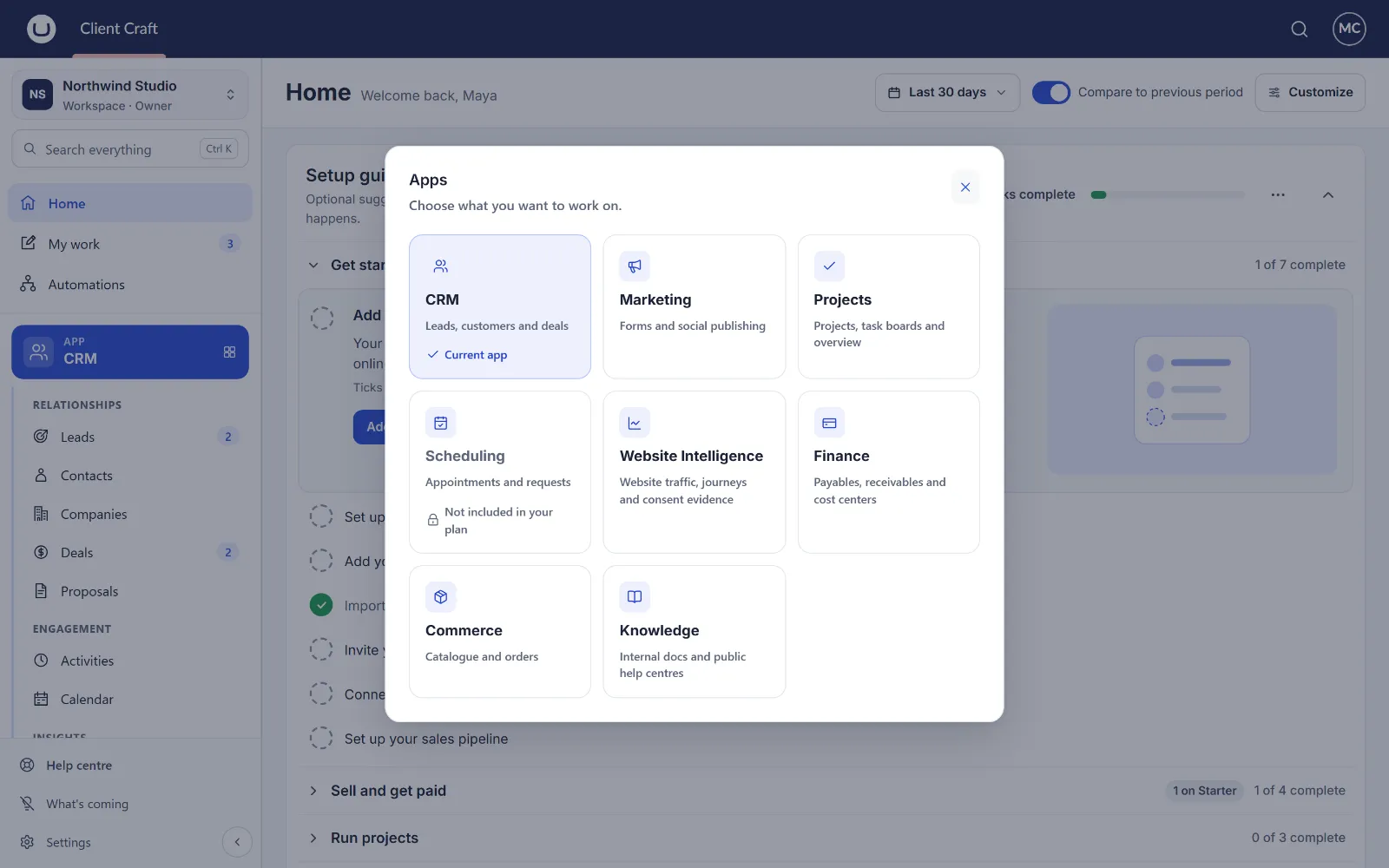
A Client Craft section appears in the backoffice (at /umbraco/section/clientcraft). Its app switcher has eight apps:
| App | What it covers |
|---|---|
| CRM | Leads, customers and deals |
| Marketing | Forms and social publishing |
| Projects | Projects, task boards and overview |
| Scheduling | Appointments and requests |
| Website Intelligence | Website traffic, journeys and consent evidence |
| Finance | Payables, receivables and cost centers |
| Commerce | Catalogue and orders |
| Knowledge | Internal docs and public help centres |
Areas the workspace's plan doesn't include stay visible but locked, so people can see what an upgrade adds. The section only appears once the installation's Client Craft integration is active, and Umbraco users need access to the section through their user group.
In Content #
- Analytics view. Every page gets an Analytics view next to Content: overview, heatmap, session replays and events and conversions for that page. See Read page analytics in Content.
- Form block. Place a Client Craft form and its submissions become leads. See Connect a Client Craft website form to the CRM.
- Booking and storefront blocks. Embed a booking page, or show products and collections.
- Knowledge Hub. A Knowledge Hub document type and routing to publish a help centre on the site.
In the Visual Builder #
These Visual Builder features come from installing the ClientCraft package. ClientCraft.Core alone does not turn them on.
- Build with AI, using the organization's AI credits. See Build with AI.
- The Analytics view next to Content, when your plan includes website analytics.
On the public website #
- Cookie consent and the session meter. The one line
@await Html.ClientCraft().RenderAssets()in your layout renders the cookie banner and counts website sessions for the plan, without cookies. See Add Client Craft to your layout.