
Understand Stripe fees on your payments
On this page
Stripe's processing fee is paid by your business and deducted from each payment before payout. See gross, Stripe fee, Client Craft fee and net per payment.
Plan: Starter and above
When your customers pay you online by card or another Stripe method, Stripe charges a processing fee. Your business pays that fee: it is taken from the payment before the money reaches your bank. Your customer always pays exactly the amount you asked for.
Before you start #
- Online payments must be set up (Finance › Payments › Online payments setup).
- You need access to Finance.
How the fee works #
- Your customer is never charged extra. The pay page shows the amount you requested, and that is what the customer pays.
- The fee is deducted from what you receive. Stripe keeps its fee from each payment. The rest is paid out to your bank account.
- Client Craft fee. Client Craft can also take a platform fee. It is shown on its own line, next to the Stripe fee. It is currently 0%.
- The fee depends on the payment method. Card fees depend on the card, for example where it was issued. Other payment methods have their own rates.
Step by step #
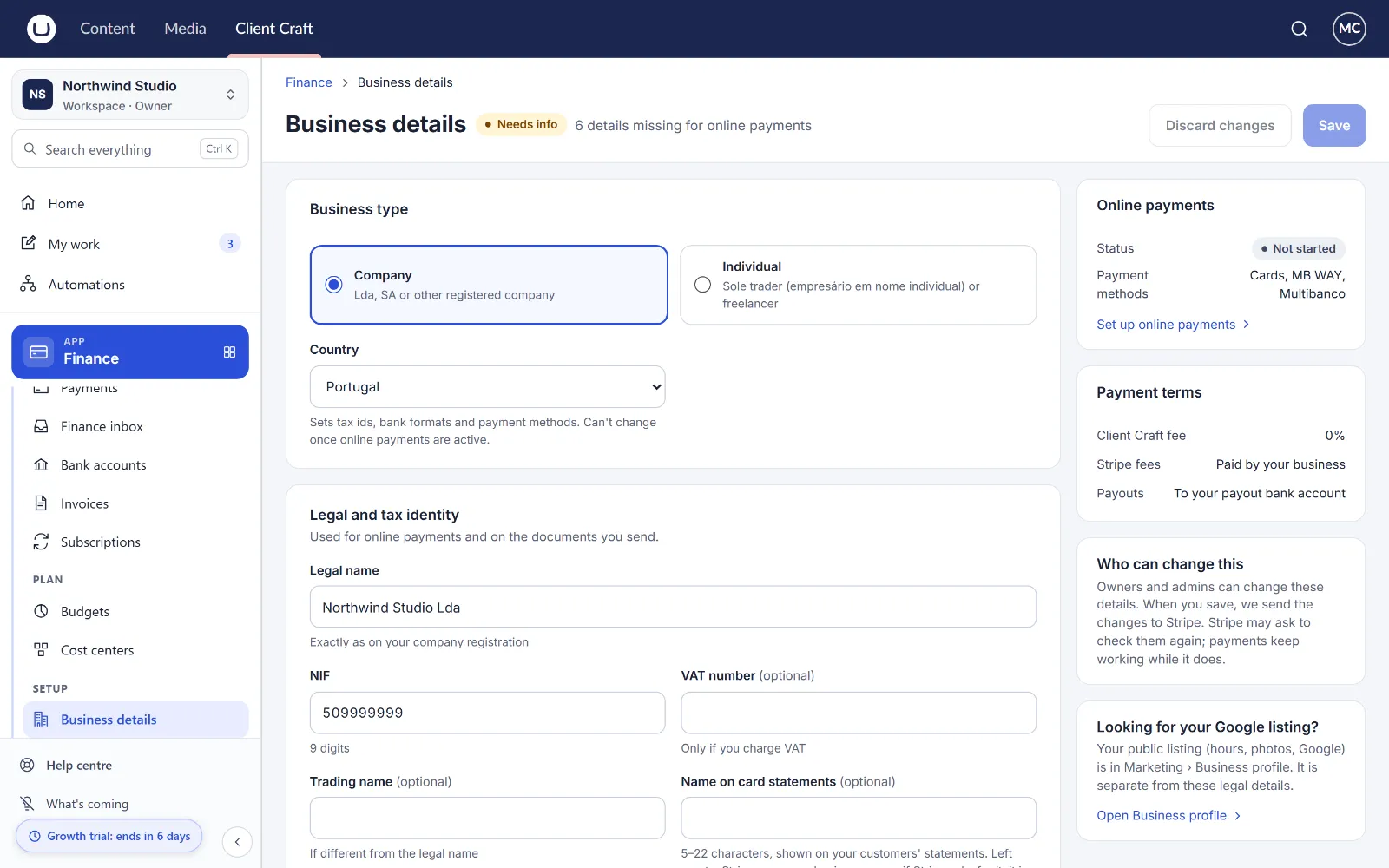
- 1Check who pays the feeOpen Finance › Business details. The Payment terms card shows the Client Craft fee, Stripe fees: Paid by your business and where Payouts go.
- 2See the fee on one paymentOpen Finance › Payments. In Recent payments, each payment shows its amount and, below it, the fee (for example "Fee -€2.32"). Click a payment to open its details. Under Fees you see:
- Amount: what your customer paid (gross).
- Stripe fee: Stripe's processing fee, deducted from the payment.
- Client Craft fee with its percentage.
- Net: what you receive.
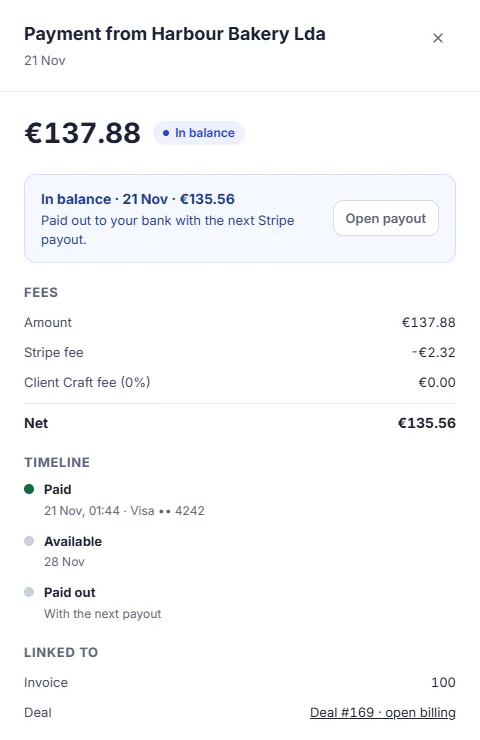
In this example a customer paid €137.88 by card. Stripe's fee was €2.32, the Client Craft fee was €0.00, and €135.56 goes to your payout.
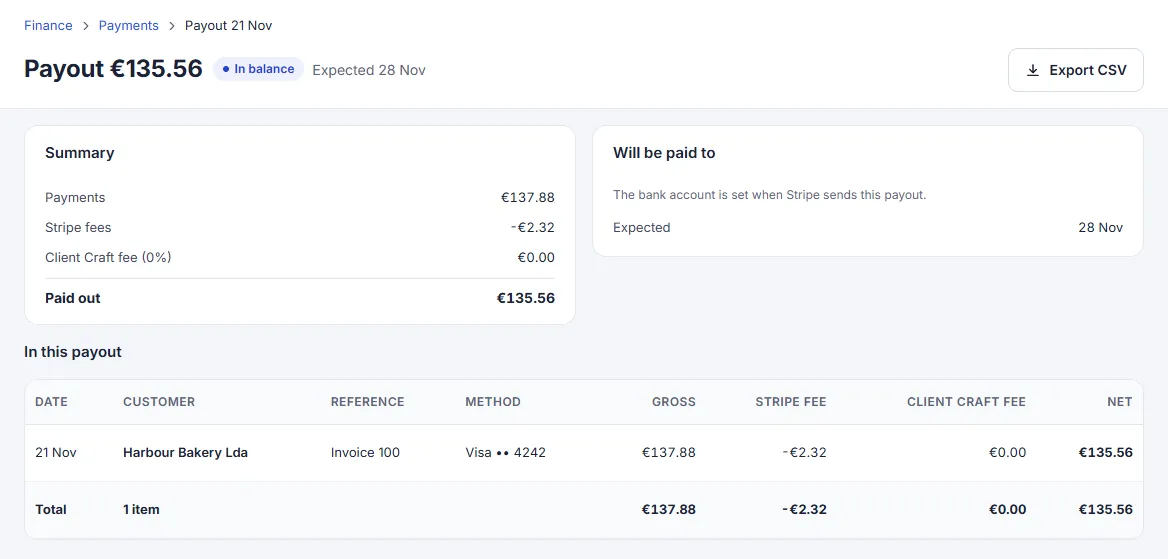
- 3See the fees on a payoutFrom a payment, click Open payout, or click a date in the Payouts table. The Summary shows Payments, Stripe fees, Client Craft fee and Paid out. The table In this payout lists every payment with its Gross, Stripe fee, Client Craft fee and Net. Click Export CSV to download the list.
- 4Check your fees over timeAt the top of Finance › Payments, the Fees, last 30 days tile adds up the Stripe and Client Craft fees for the last 30 days.
NoteA payment's money first shows as In balance (or Pending) and is paid out to your bank with the next Stripe payout. The payout amount is the net amount, after fees.
What happens next #
- To take a payment from a proposal, see Create and send a proposal.
Was this article helpful?