
Sign up and create your organization
On this page
Choose a plan, create your account, verify your email and set up your company. Your organization is ready in about a minute.
Plan: All plans. Free needs no card
Signing up creates three things: your personal Client Craft account, your organization (your company, its plan and billing) and its first workspace (where your CRM data lives). The whole flow takes a few minutes.
Before you start #
- Use your work email. You will need to open a verification email sent to it.
- Know your company's legal name and country. The country sets the currency and tax at checkout.
- One person owns one organization. If your company already uses Client Craft, ask its Owner to invite you instead.
Step by step #
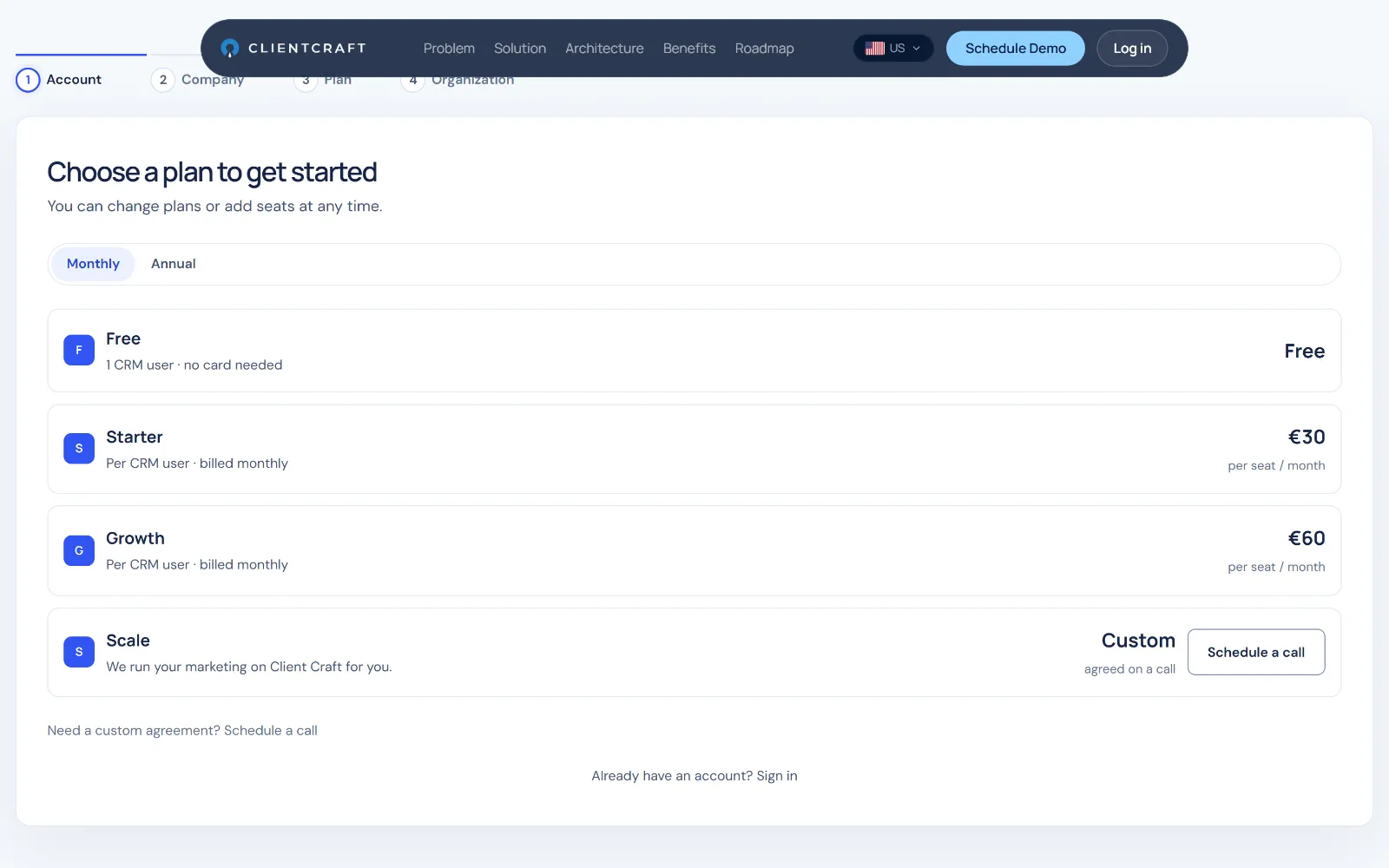
- 1Choose a planOpen the Get started page. Choose a plan to get started lists the plans, with a Monthly / Annual switch:
- Free: €0, 1 CRM user, no card needed.
- Starter: €30 per CRM user a month. Growth: €60 per CRM user a month. Both start with a 14-day free trial; a card is required, and you are not charged if you cancel before day 15.
- Scale: custom, agreed on a call. Use Schedule a call.
Click the plan you want. You can change plans or add seats at any time.
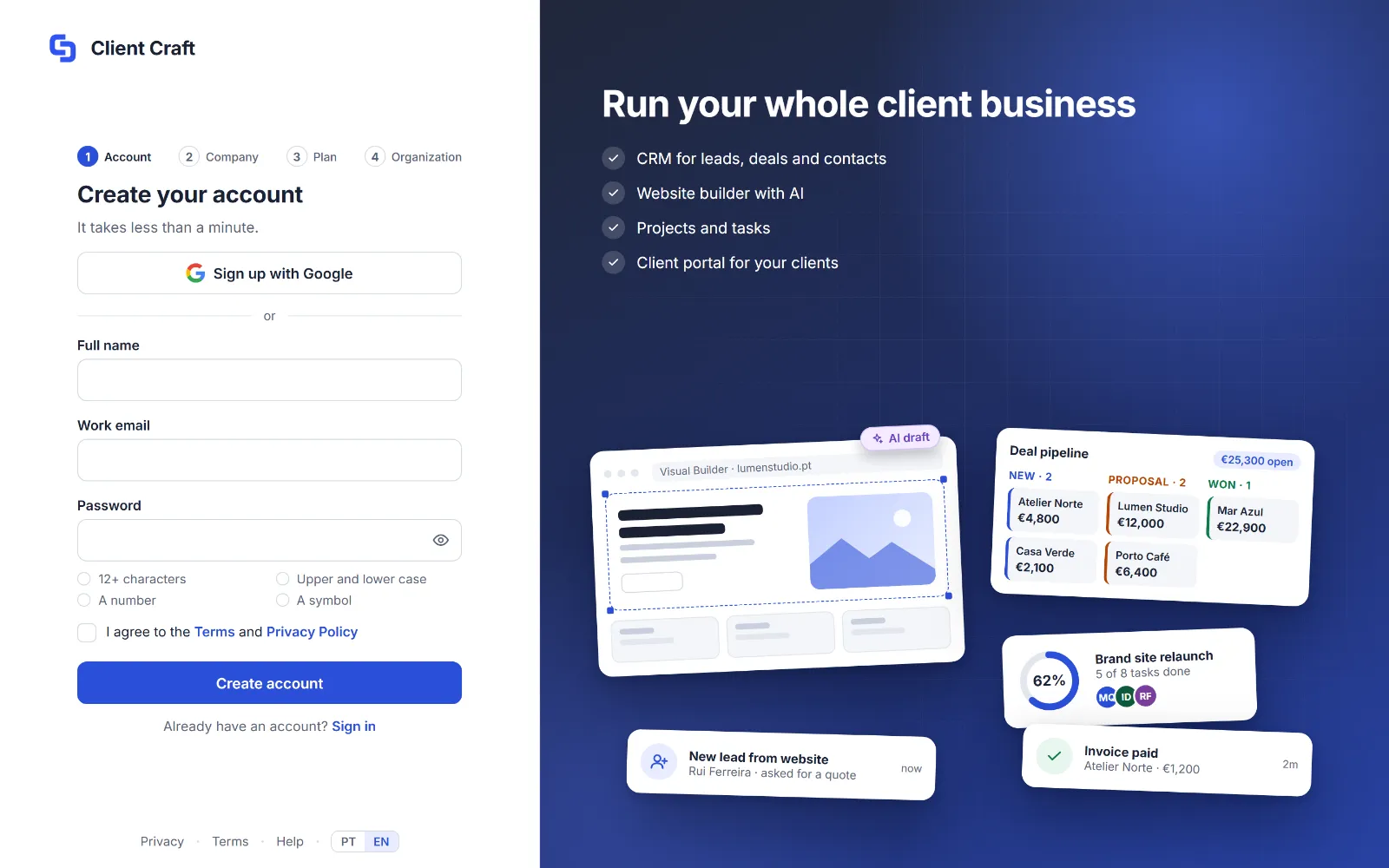
- 2Create your accountOn Create your account, the steps Account · Company · Plan · Organization show where you are. Enter your Full name, Work email and a Password. The checklist under the password ticks as you type: 12+ characters, upper and lower case, a number and a symbol. Tick I agree to the Terms and Privacy Policy, then click Create account.
You can also use Sign up with Google.
- 3Verify your emailThe page says Check your inbox. Open the email "Confirm your email for Client Craft" and click Confirm email. You can open it on any device: the sign-up page moves on by itself once you confirm. If nothing arrives, use Resend email.
- 4Tell us about your companyEnter the Company name, choose the Country ("Used for currency and tax at checkout.") and, if you like, the Team size. The panel on the right sums up your plan. Click Continue.
- 5Start your planOn Free, the page says Start your free plan with €0 due today. Tick I agree to the Terms and the Privacy Policy. and click Start free.
On a paid plan you add a payment method and confirm the first charge instead.
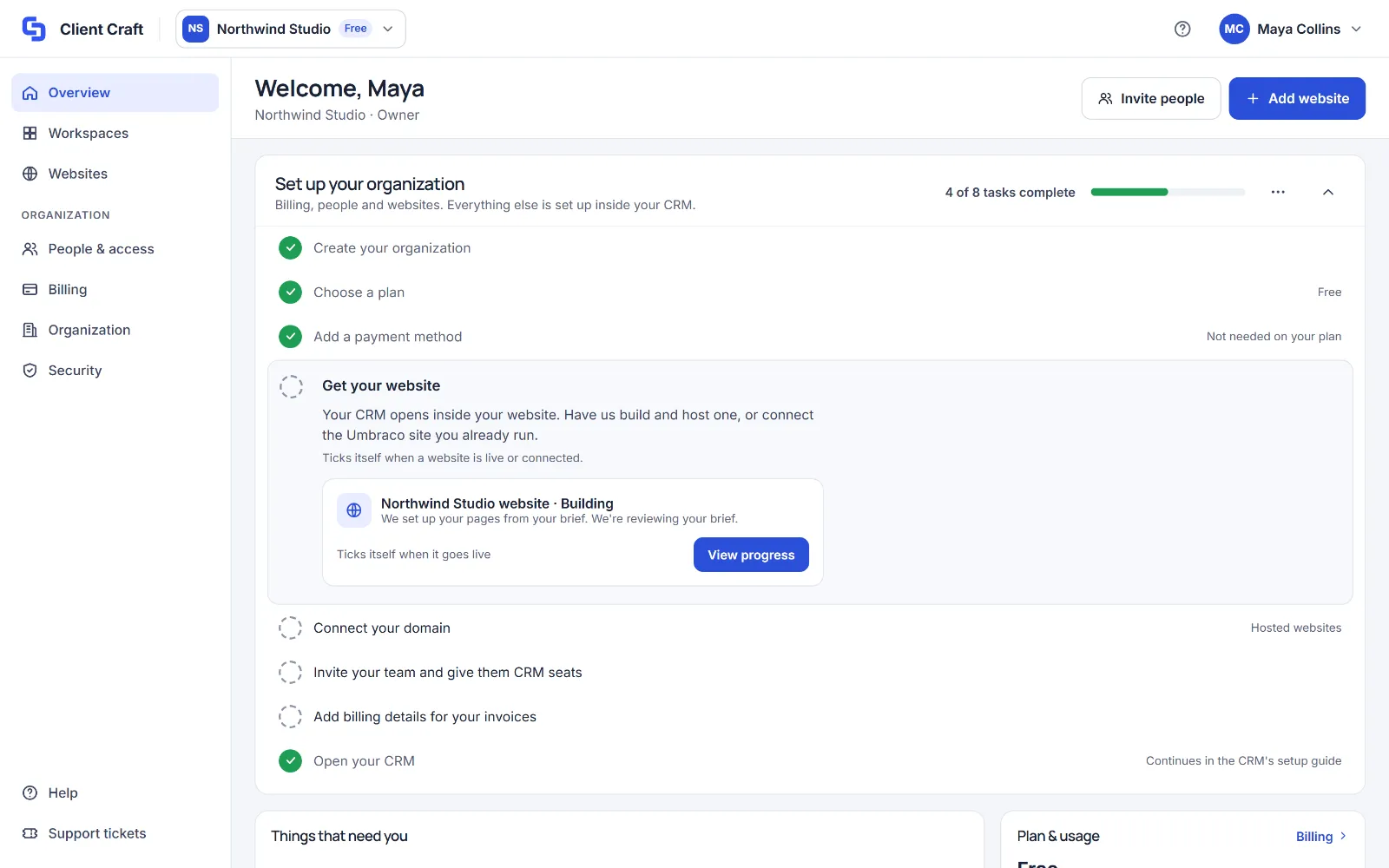
- 6Open your dashboardAfter about 15 seconds you see Your organization is ready, with the next things to do: Get your website built, Connect your own Umbraco, Invite your team and Go to dashboard. Click Go to dashboard.
The dashboard Overview welcomes you, shows your role (Owner), a Set up your organization checklist and your plan and usage.
What happens next #
- Get a website. Your CRM opens inside your website, so this comes first. Request a website from Client Craft: every plan includes one we build for you.
- Developer or agency with your own Umbraco site? Follow Install on your own Umbraco instead.
- Then open Client Craft.
NoteYour dashboard is where you manage billing, people and websites. Everything else (CRM, projects, finance and so on) lives in Client Craft inside your website's backoffice.
TipIf the plan page says "Plans can't load right now", wait a few seconds and reload. You can also create your account first and choose a plan later.
Was this article helpful?