
Manage appointments
On this page
See upcoming bookings, open one to check the guest and CRM links, add a meeting link by hand when Google isn't connected, and cancel or mark the outcome.
Every booking made on a booking page, and every meeting your team schedules, appears in Scheduling › Appointments. From there you open an appointment to see who booked, what they said and which CRM records it belongs to, and you record what happened.
Before you start #
- Set up a booking page. See Set up online bookings.
Step by step #
- 1Open AppointmentsOpen the Scheduling app and the Appointments tab. The top cards show Booked this week, Held (not cancelled), Awaiting a lead match and the Next free slot.
Filter by Period (Next 14 days or Last 14 days), Host, Booking page and Status (Status: upcoming, All statuses, Awaiting lead match, Held, No-show, Cancelled). See these on the Calendar opens the same appointments on your calendar: "Booked time lives on your Calendar."
Upcoming appointments lists When, Service and who, Booking page, Host and Status.
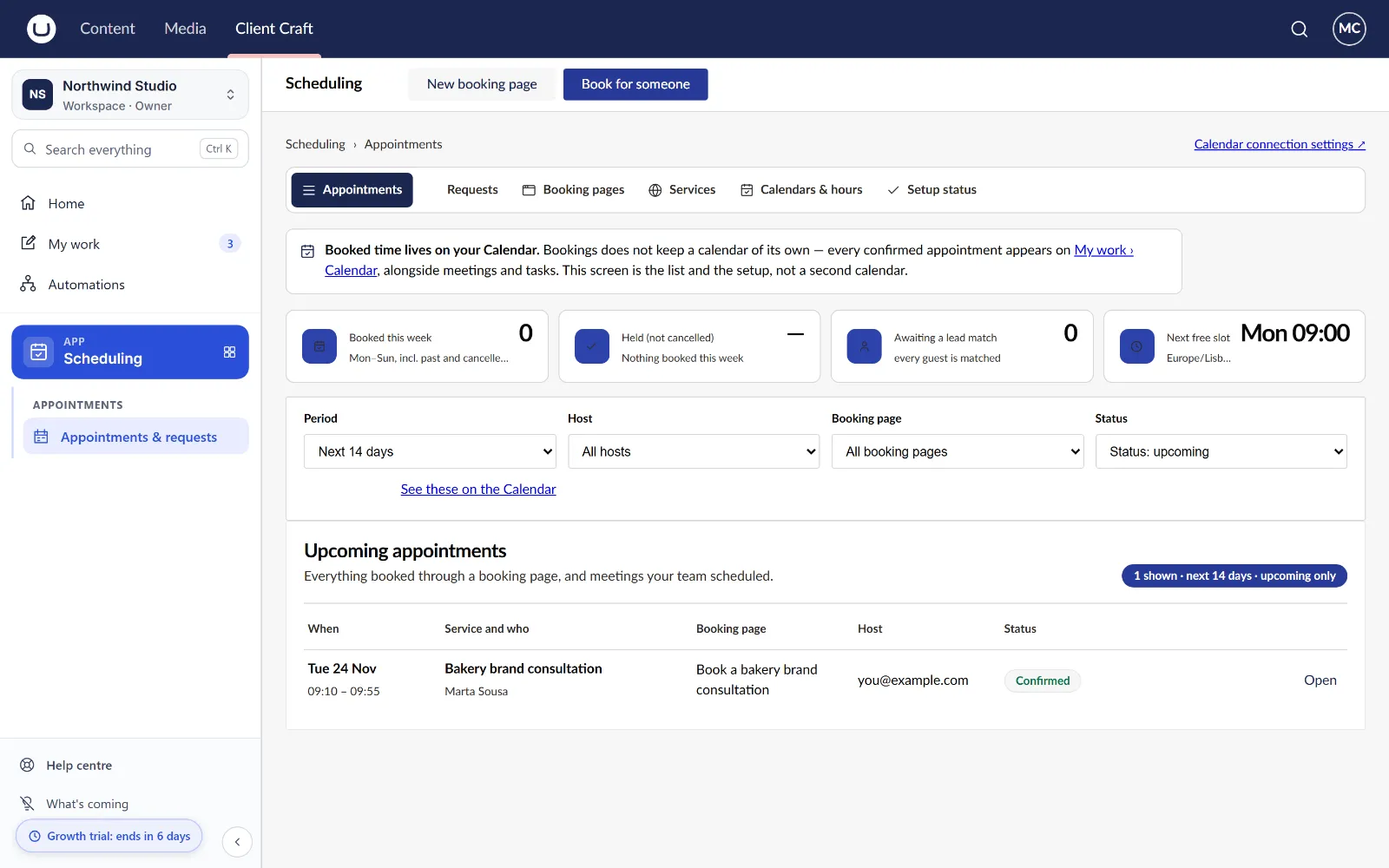
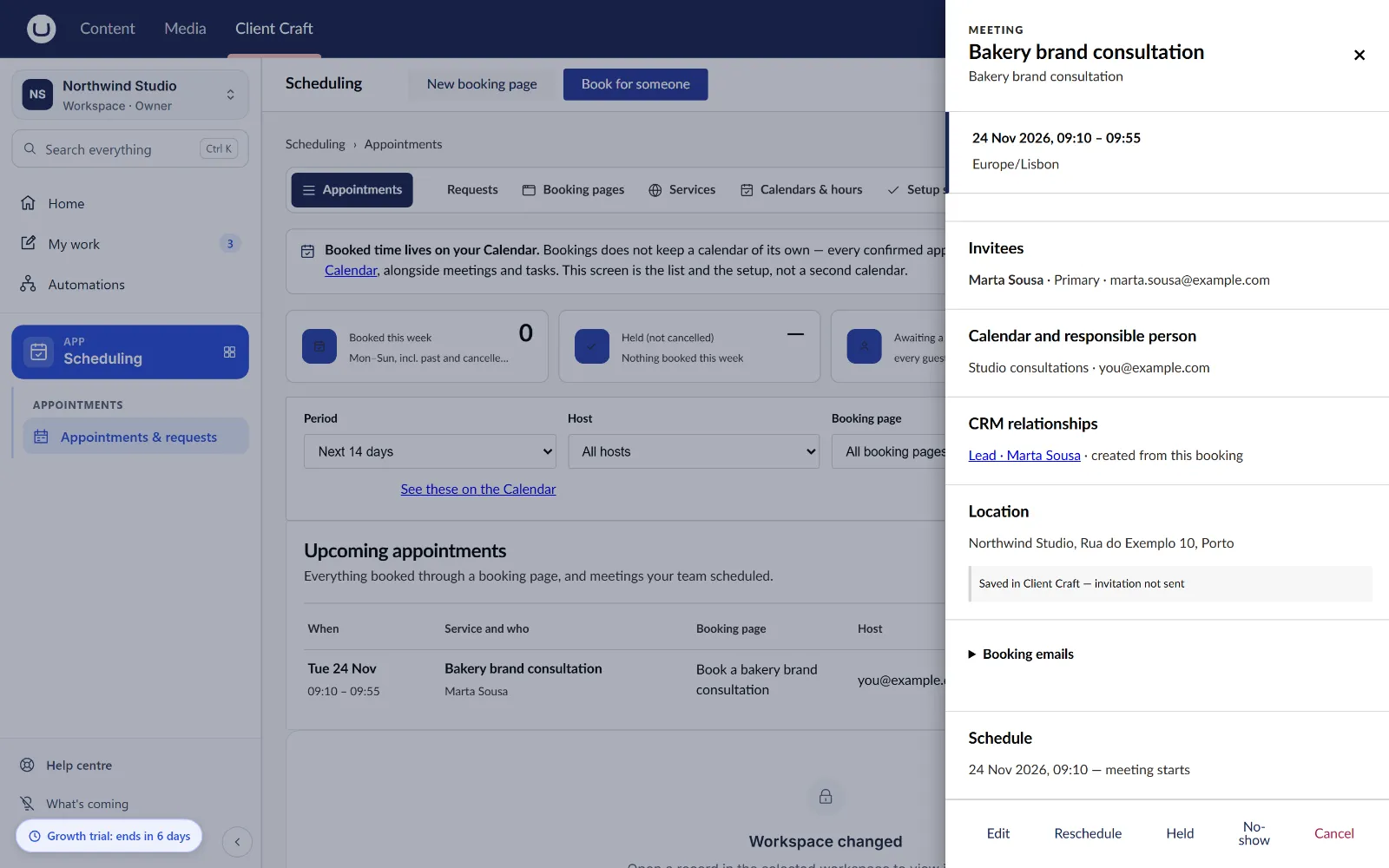
- 2Open an appointmentClick Open on a row. The panel shows:
- the date, time and timezone;
- Customer context: the message and phone from the guest's form, when the guest filled one in;
- Invitees, with the primary guest;
- Calendar and responsible person;
- CRM relationships: the lead or contact the booking is linked to;
- Location, with the invitation status, for example "Saved in Client Craft — invitation not sent".
At the bottom: Edit, Reschedule, Held, No-show and Cancel.
- 3Add the Meet link by handWhen a booking uses Google Meet but the host's Google Calendar isn't connected, no Meet link is created. The guest is told "the link will follow by email before the meeting", and the appointment's Location says "Google wasn't connected when this was booked: add the Meet link (Edit meeting). The guest gets it by email."
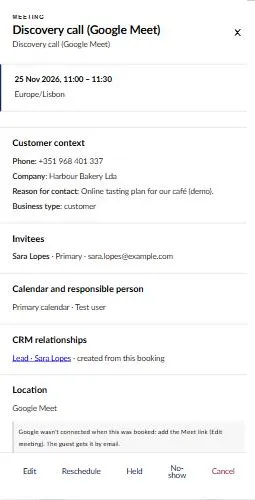
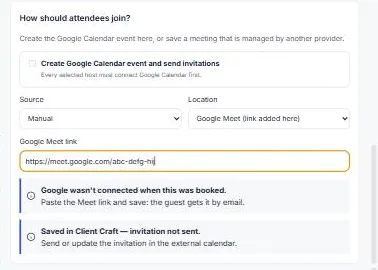
Create the meeting in Google Meet yourself and copy its link. Then open the appointment and click Edit. Under How should attendees join?, Source is Manual and Location is Google Meet (link added here). Paste the link in Google Meet link and click Save changes. You see "Meeting saved. Meeting details updated."
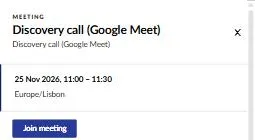
The appointment now shows Join meeting, and Location says "Meet link added by the host — the guest has it by email". Join also appears on the row in Upcoming appointments.
For other meetings, choose another Location (Online link, Phone or Physical address) and fill in Meeting URL or location.
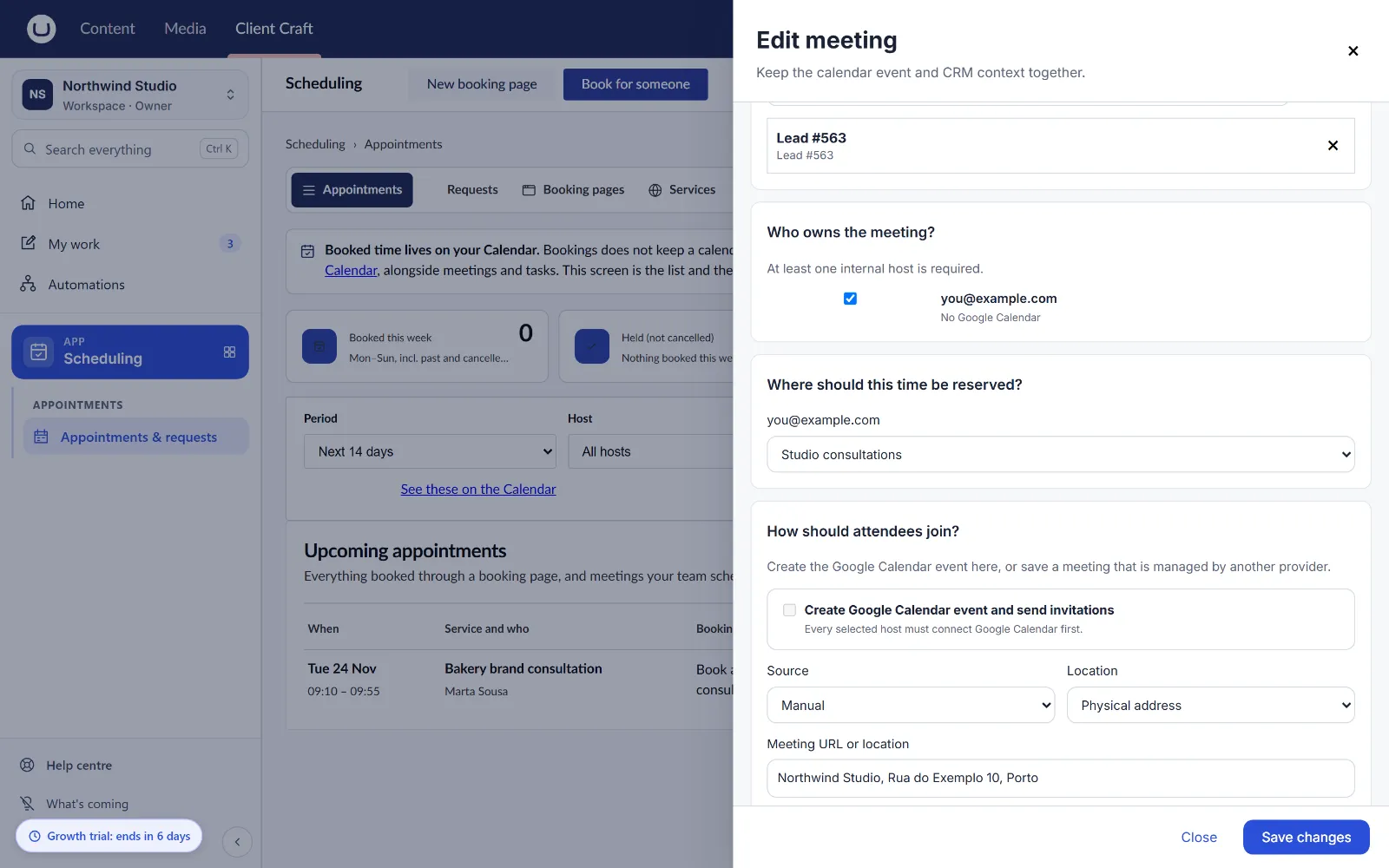 NoteWith Manual, Client Craft doesn't send a calendar invitation: "Saved in Client Craft — invitation not sent. Send or update the invitation in the external calendar." Create Google Calendar event and send invitations needs every selected host to connect Google Calendar first.
- 4Record the outcomeAfter the meeting, click Held or No-show. To cancel, click Cancel, write the reason under Record why the meeting was cancelled. and click Save outcome. You see "Meeting updated. The cancellation and its reason were recorded."
What happens next #
- A cancelled appointment frees its slot on the booking page.
- To book on behalf of a client, click Book for someone at the top of Scheduling.